












iTNUA資訊入口網
說明:
1. 新生第一次使用 iTNUA(每年8/2開放新生查詢),請先至「查詢帳號或忘記密碼?」查詢您的學校E-MAIL並進行密碼設定。
(1.) 密碼設定會用到您的私人E-MAIL,「新生網路報到 (說明)」請務必填寫正確私人E-MAIL(否則無法進行密碼設定)。
(2.) 密碼每180天會需要更新。
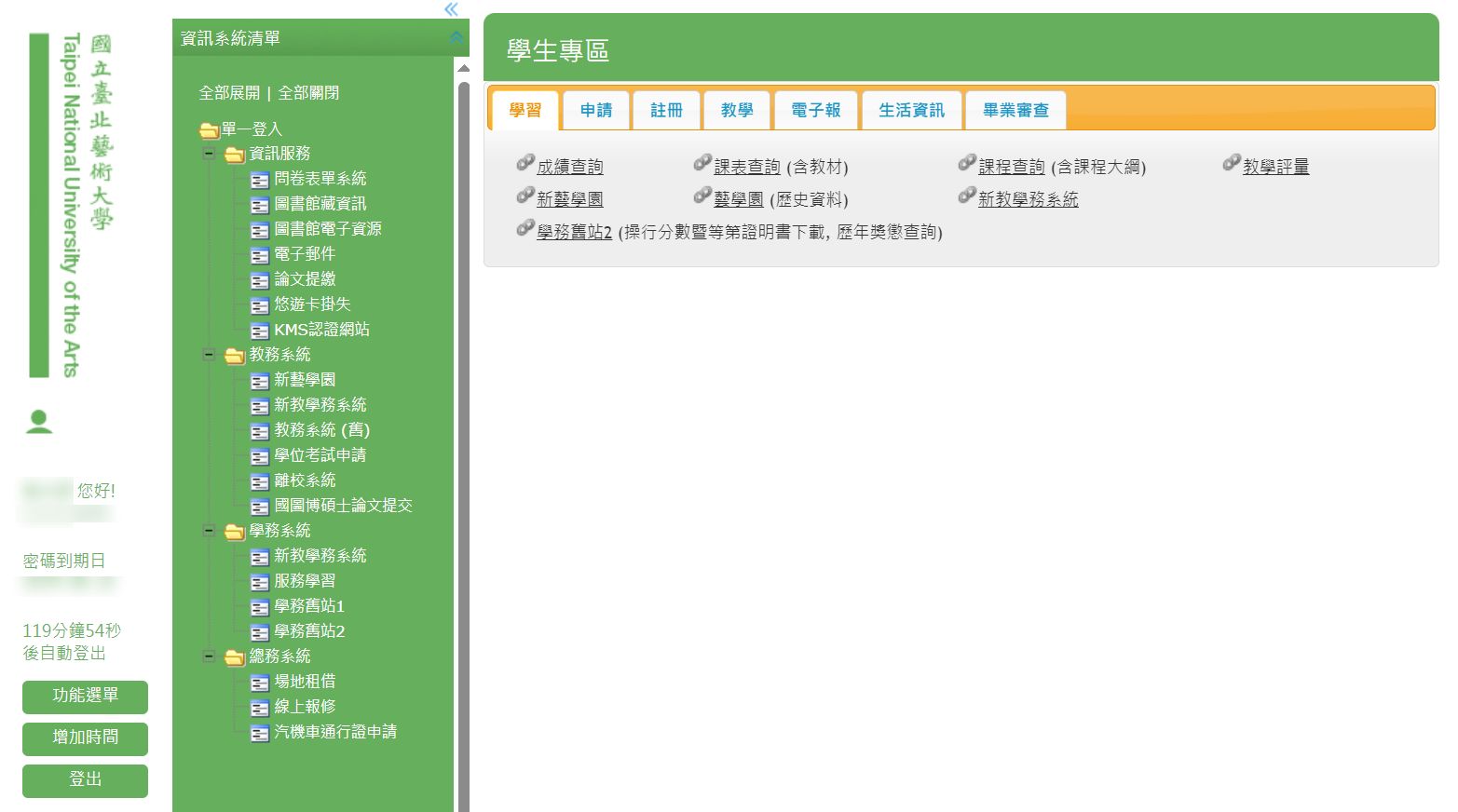
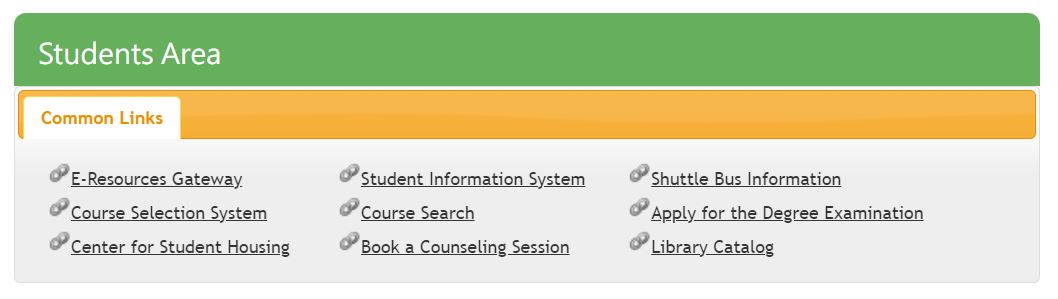
2. 學校大部分系統與業務功能都在 iTNUA 內,請先至此尋找,詳如下列圖示。
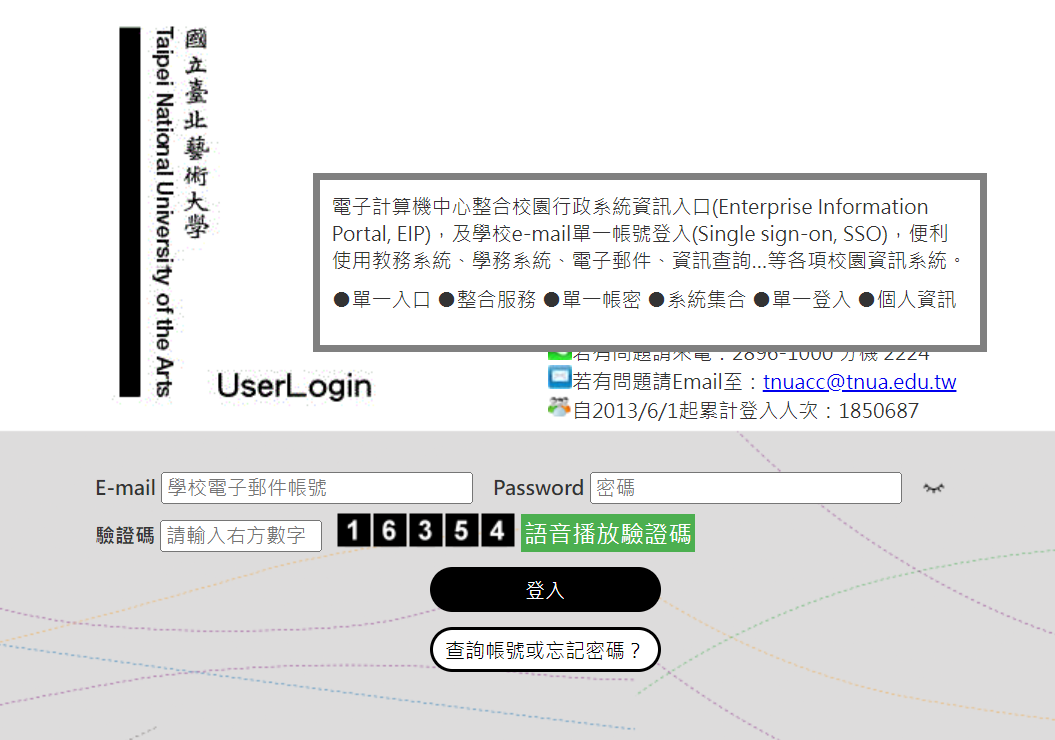
1. 新生第一次使用 iTNUA(每年8/2開放新生查詢),請先至「查詢帳號或忘記密碼?」查詢您的學校E-MAIL並進行密碼設定。
(1.) 密碼設定會用到您的私人E-MAIL,「新生網路報到 (說明)」請務必填寫正確私人E-MAIL(否則無法進行密碼設定)。
(2.) 密碼每180天會需要更新。
2. 學校大部分系統與業務功能都在 iTNUA 內,請先至此尋找,詳如下列圖示。
Instructions:
1. For new students accessing iTNUA for the first time (available from August 2 each year), please first go to "Forgot Password or Need to Retrieve Account?" to find your school email address and set up your password.
(1) Your private E-mail will be required for password setup. Please make sure to provide the correct email address in the "New Student Online Registration (Instructions)" form; otherwise, you won’t be able to proceed with the iTNUA password setup.
(2) Passwords must be updated every 180 days.
2. Most of the school’s systems and administrative services are integrated into iTNUA. Please start by exploring iTNUA as shown in the pictures below.
